
What Fulfilra does
Everything below runs inside your Jira site. There is no other service, no other login, and nothing to keep in sync.
Forms people can actually fill in
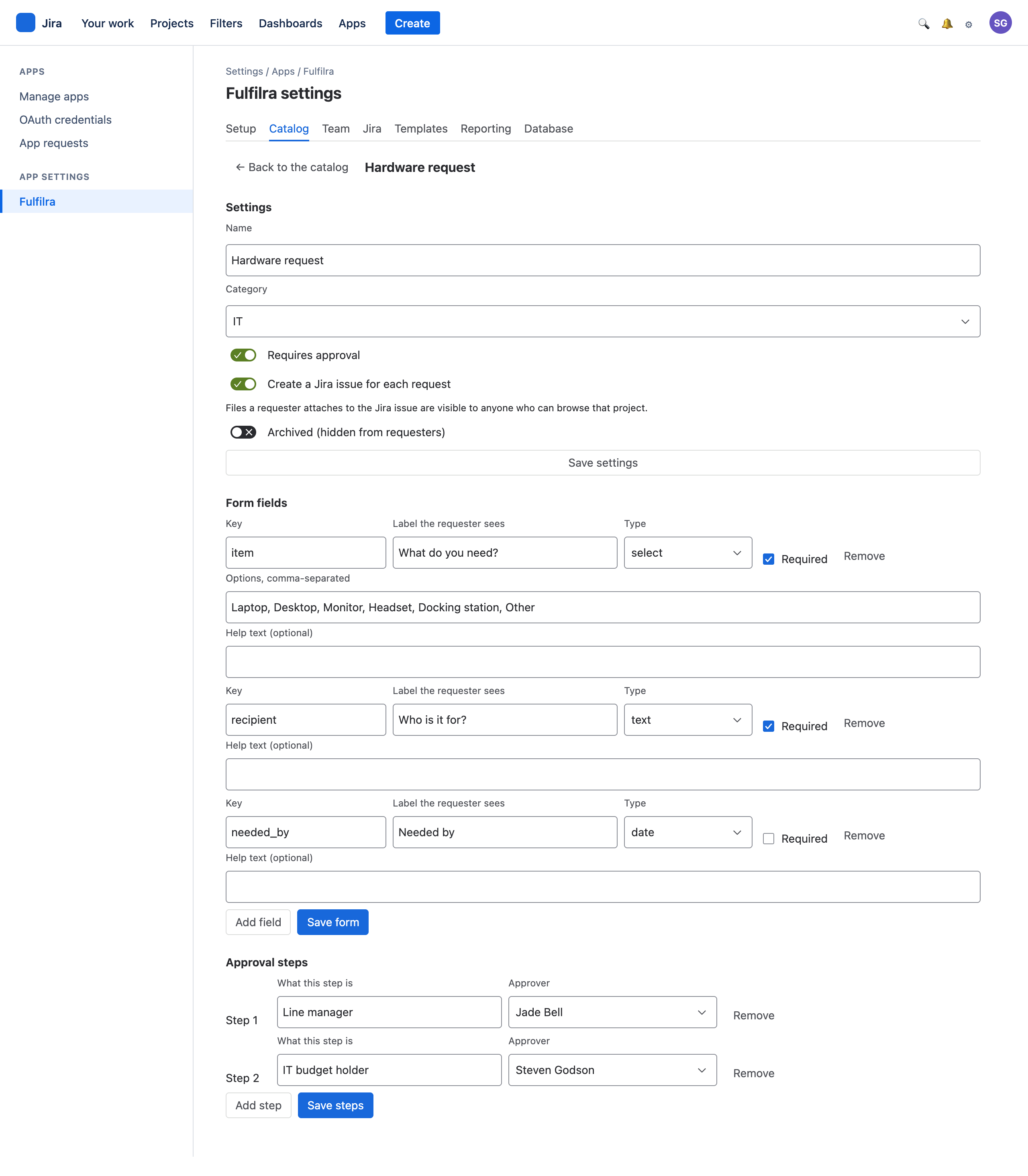
Request types are grouped into categories and published to everyone with a Jira licence. Each type carries its own form.
- Eight field types — text, long text, number, date, email, checkbox, single-select and multi-select.
- Per-field rules — required or optional, option lists, placeholder and help text.
- Validated on the way in, so an agent never receives an empty required answer.
- Archive, never delete. Retiring a form leaves every historical request readable.
A field that already has submitted answers cannot be removed — Fulfilra refuses and names it, rather than orphaning the answers on old requests.
Sequential, named, and enforced
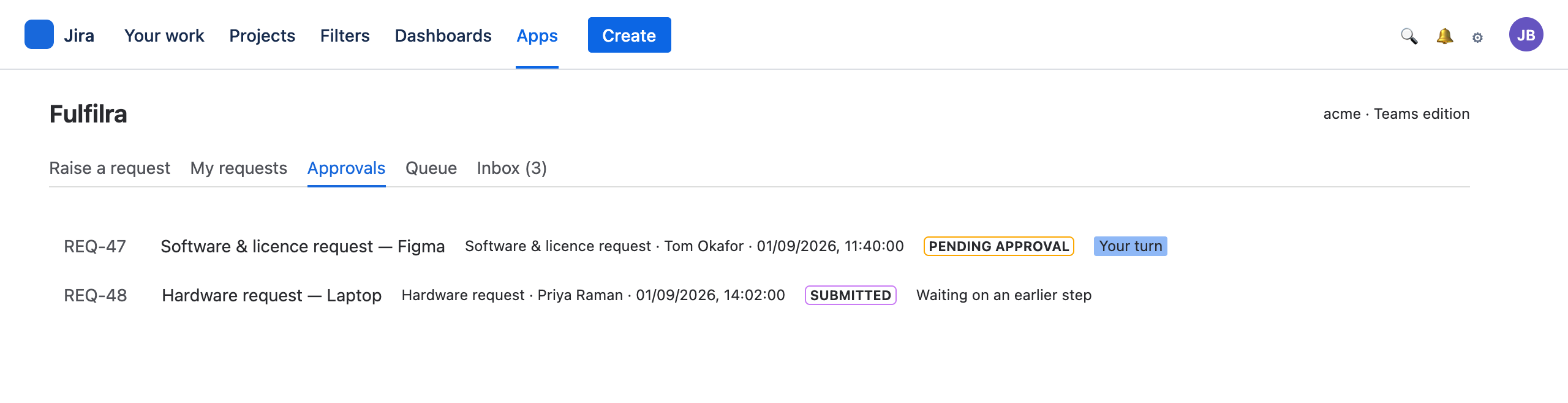
- Up to three steps per request type, decided in order.
- Each names one person, not a group — so authority cannot move because somebody edited a directory.
- Only the active step is decidable. A later approver cannot jump the queue by holding a link.
- Rejection requires a reason, and that reason is the one thing the requester is shown.
- Self-approval resolves itself. If the approver is the requester, that step passes at submission rather than waiting forever.
- Deactivated approvers are surfaced. Fulfilra reads account status from Atlassian and flags approvals waiting on somebody who has left.
- A daily reminder, to the approver whose turn it is, once a day — off until an administrator sets how many days on the Team tab.
A due date requesters never set themselves
- Every request has a priority — Urgent, High, Normal or Low. A request type sets the one new requests start at; an agent can change it, with a reason. Requesters never see it.
- A target in working days, where a request type carries one. The date is set once, when work can actually start — at submission, or at the final approval for a type that needs one — against the working week you choose on the Catalog tab.
- Agents can move a target, with a reason the requester is told, in their inbox and on the customer portal.
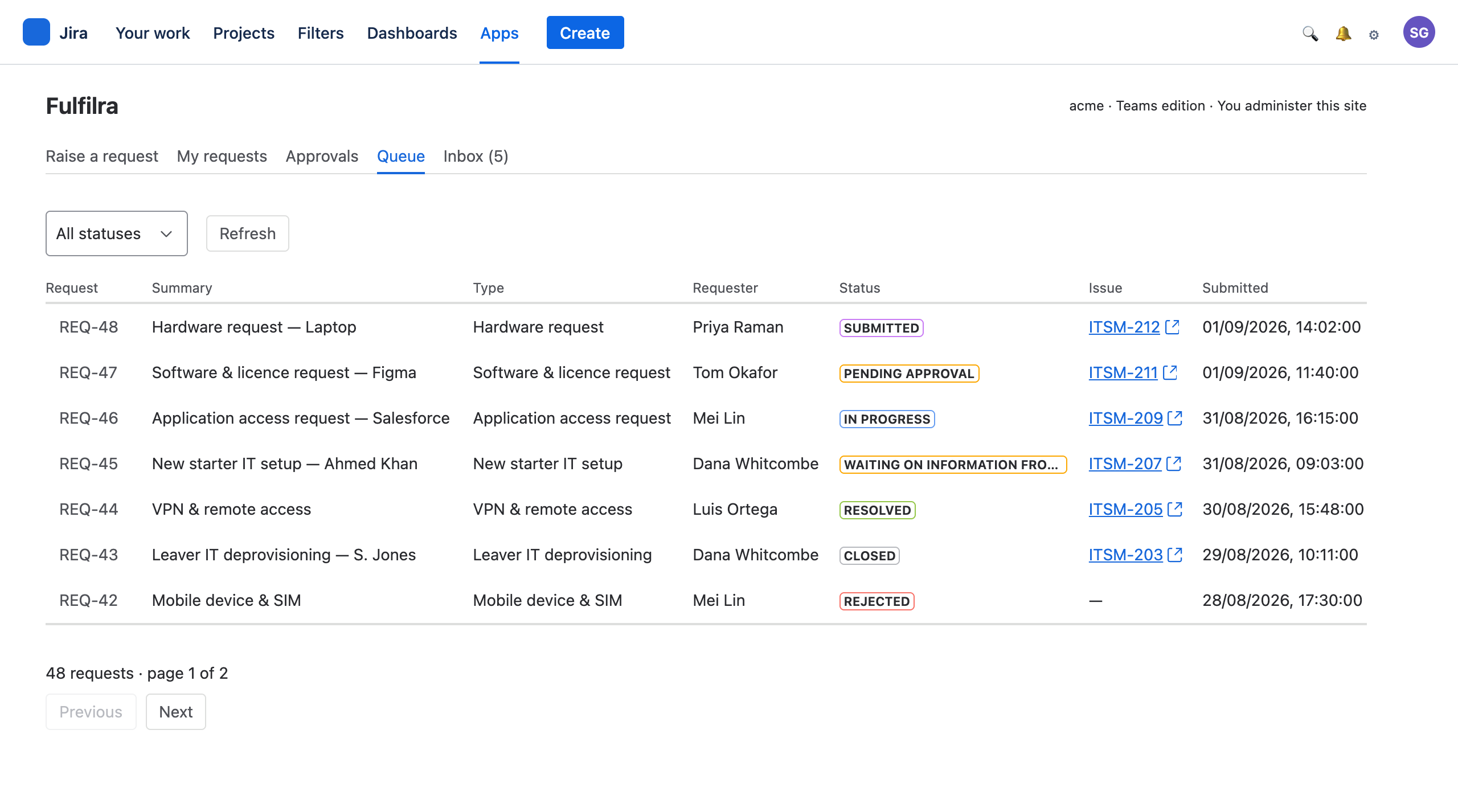
- The queue orders by priority and due date, and shows which requests are due, overdue or met.
- The linked Jira issue's Due date follows the target — and if you publish request status to Jira, the target date can be searched there too.
Two-way, with a deliberate ceiling
Every request whose type calls for it files a Jira issue in the same invocation as the submission — the requester's confirmation names the issue key because the issue already exists.
What flows back from Jira
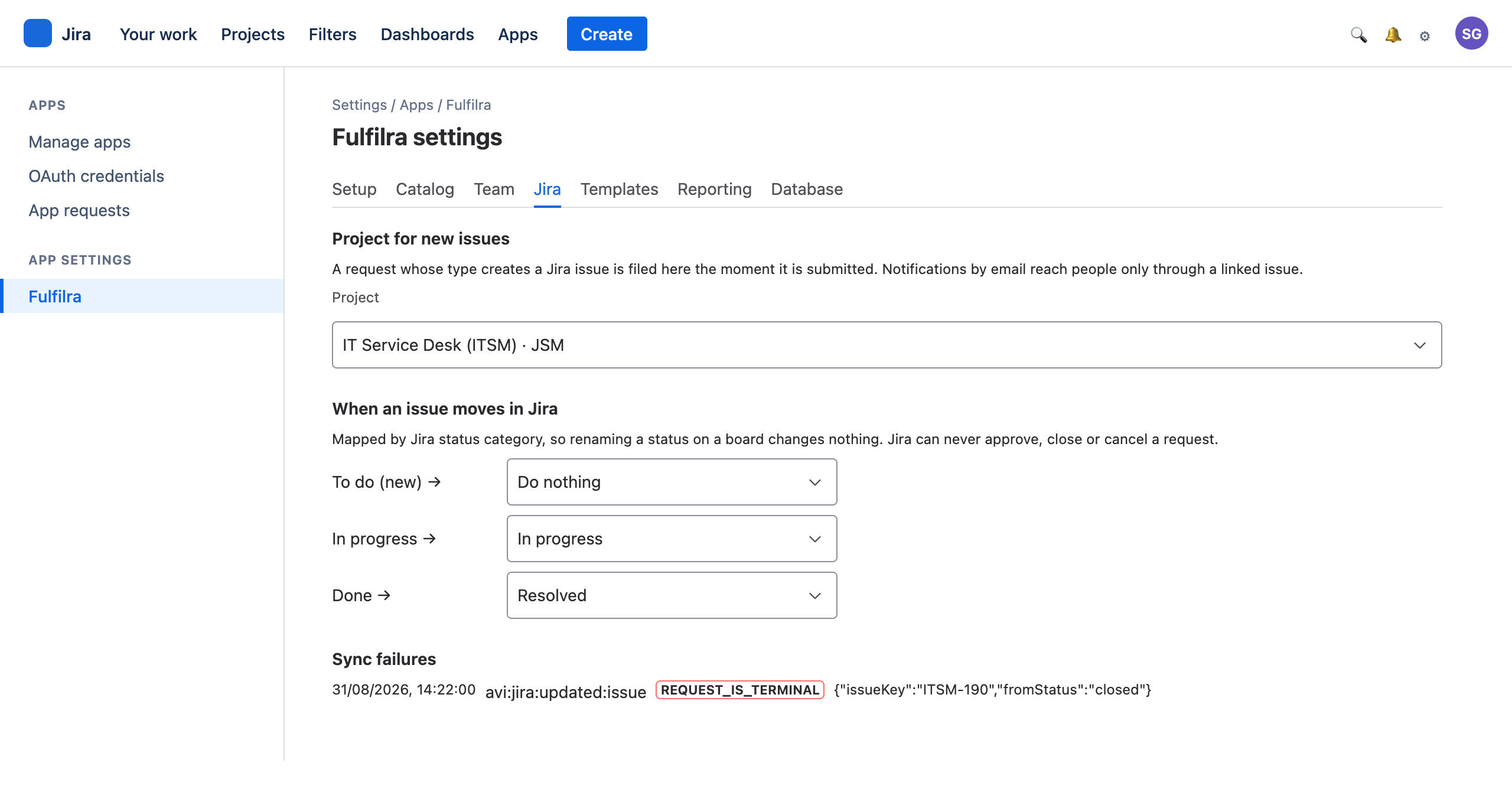
- Status, mapped by category: In Progress starts work, Done resolves. To Do deliberately does nothing.
- A named status rule where a category is too coarse — “Waiting for customer” parking the request rather than leaving it In progress. It beats the category, in both directions.
- Public comments, mirrored onto the request. Internal Jira comments never cross.
What Fulfilra sends to Jira
- The move: the app takes a transition your workflow actually offers, landing in your named status or the right category.
- Public comments onto the issue; a note on a transition as an internal JSM comment; an internal note into the issue's work log. Both of those are surfaces a portal customer cannot reach.
- Never a field it cannot answer honestly. A transition screen demanding a custom “Root cause” stops and says so — though a required Resolution is filled from your own site's list.
What Jira is never allowed to do
- Approve or reject — that is a named person's decision.
- Close or cancel — closure belongs to the requester.
- Move anything out of a pending approval, or out of a finished request.
Two lists an administrator can read: what Jira has actually sent, and what could not be applied — with the issue, the request and the reason. Nothing is dropped in silence.
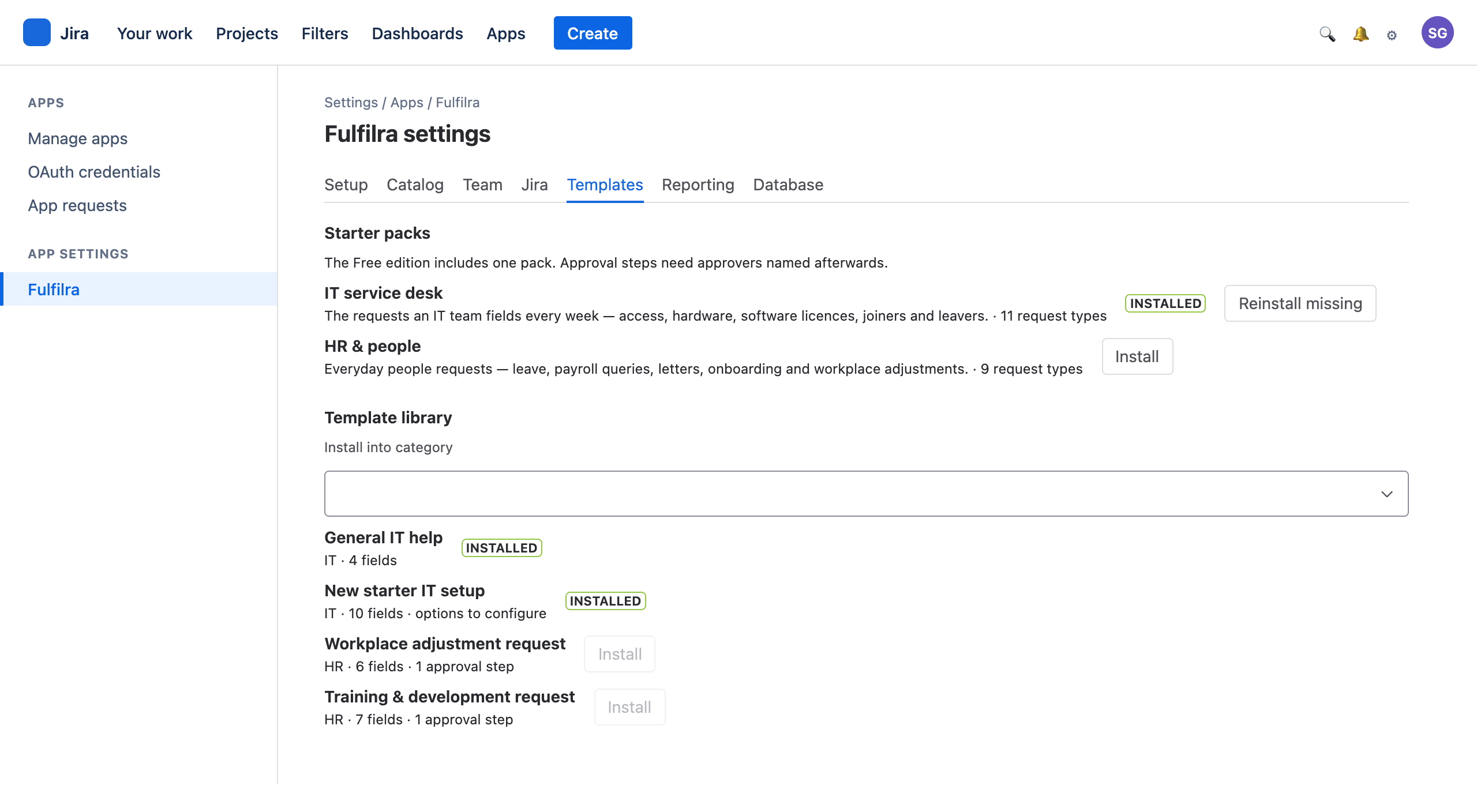
Twenty request types, already written
Install a pack and edit what does not fit, instead of starting from a blank form.
IT service desk 11 types
The requests an IT team fields every week.
General IT help · New starter setup · Leaver deprovisioning · Hardware request · Software & licence request · Application access · Password reset & account unlock · VPN & remote access · Shared mailbox & distribution list · Mobile device & SIM · File & email restore
HR & people 9 types
Everyday people requests.
Ask HR · Employee onboarding · Employment & reference letters · Leave request · Flexible working request · Payroll query · Personal details change · Training & development · Workplace adjustment
Two tiers, and we tell you which you are getting
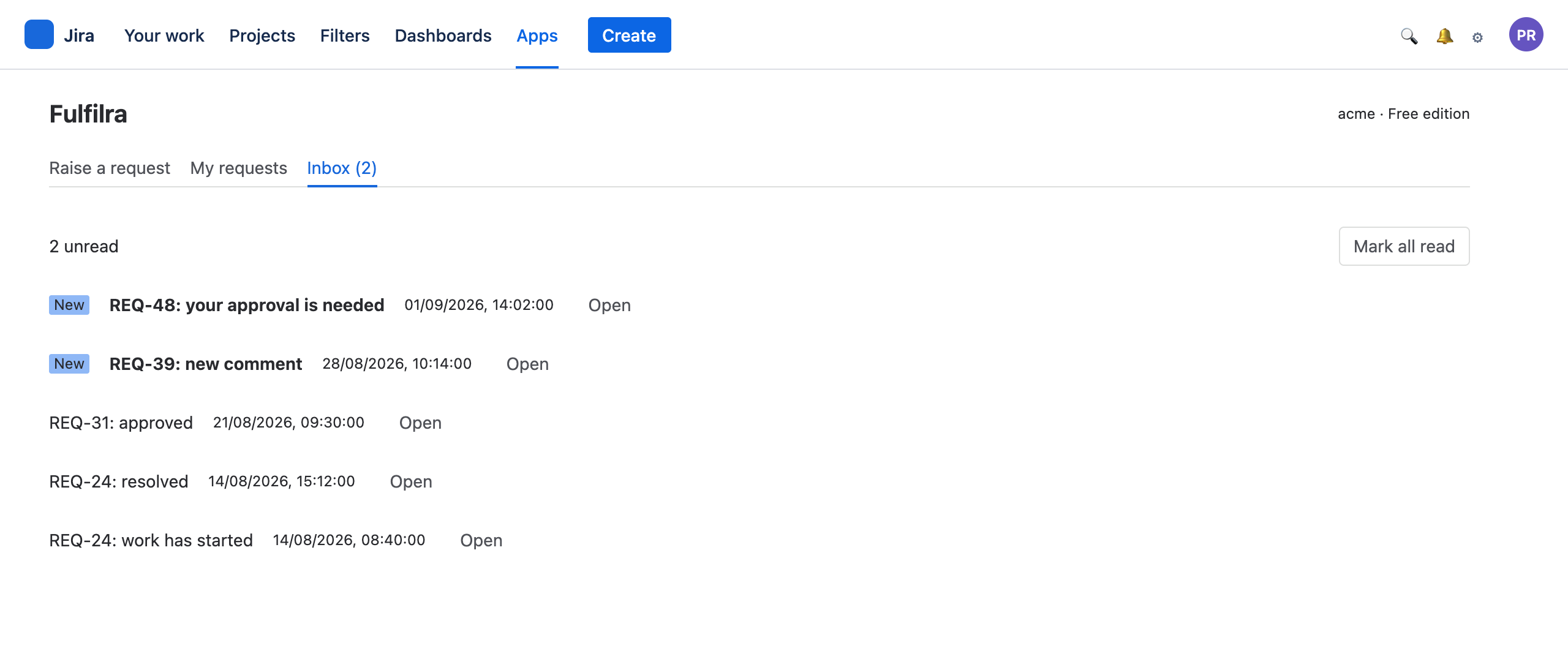
- Always: a row in the in-app inbox, with an unread count. This is the record.
- When the request has a linked Jira issue: Jira emails the person about the issue, in Jira's words, subject to their own Jira notification settings.
It runs entirely inside Atlassian, so it has no mail transport of its own — that is the same property that keeps your data in your tenancy. A request type with no linked issue can still reach people: an administrator points one shared notices issue at a project, and Fulfilra notifies on that instead of a per-request issue.
Until an administrator creates one, a request type that requires approval and creates no issue notifies its approvers inside the app only, and the Catalog tab says so. Creating a request type turns issue creation on by default, and the catalog labels any where you have turned it off.
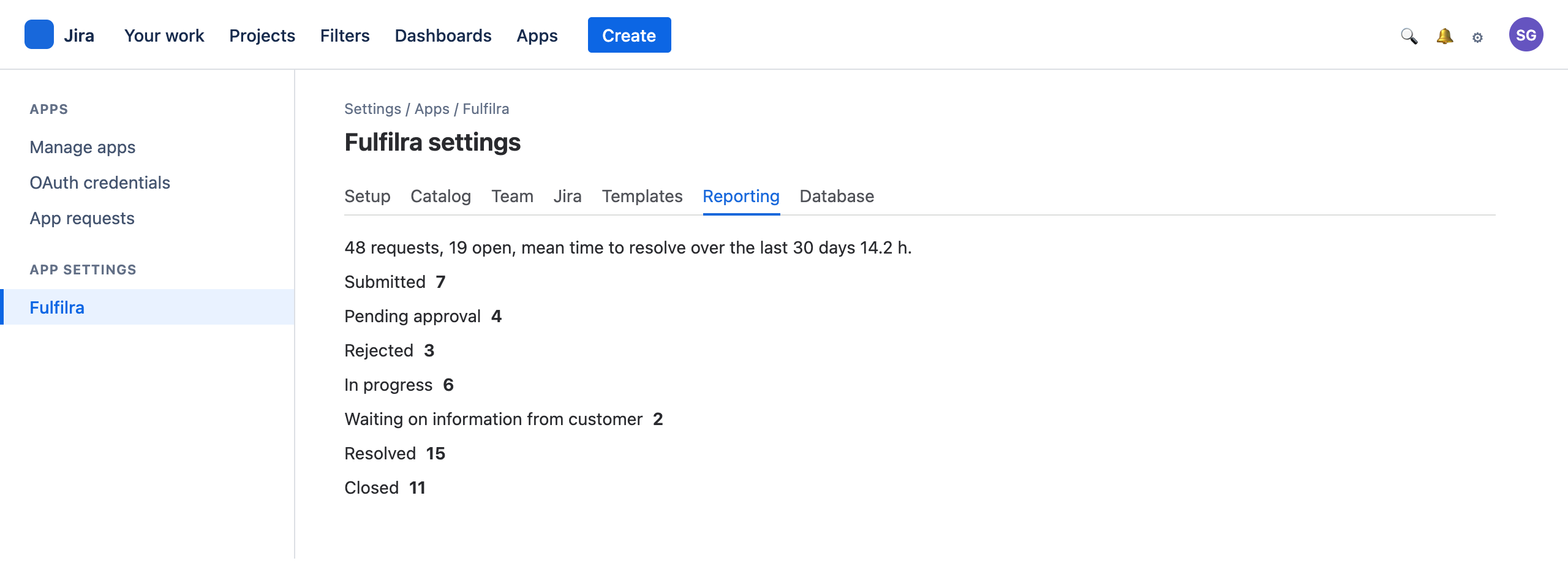
The handful of numbers worth acting on
- Open now, submitted and resolved, each against the window before it.
- Mean time to resolve, over 30, 90 or 365 days.
- Submitted against resolved over time, and the open queue by status, type, agent and age.
- Approvals waiting, with the age of the oldest, and the state of the Jira sync.
- Overdue now — requests past their target date, for the types that carry one.
The two worth watching are waiting on information from customer and unassigned. A large count of either usually means requests that quietly died — waiting on a reply, or waiting on an owner — and need closing or assigning, not that you need more agents.
Wherever the person already is
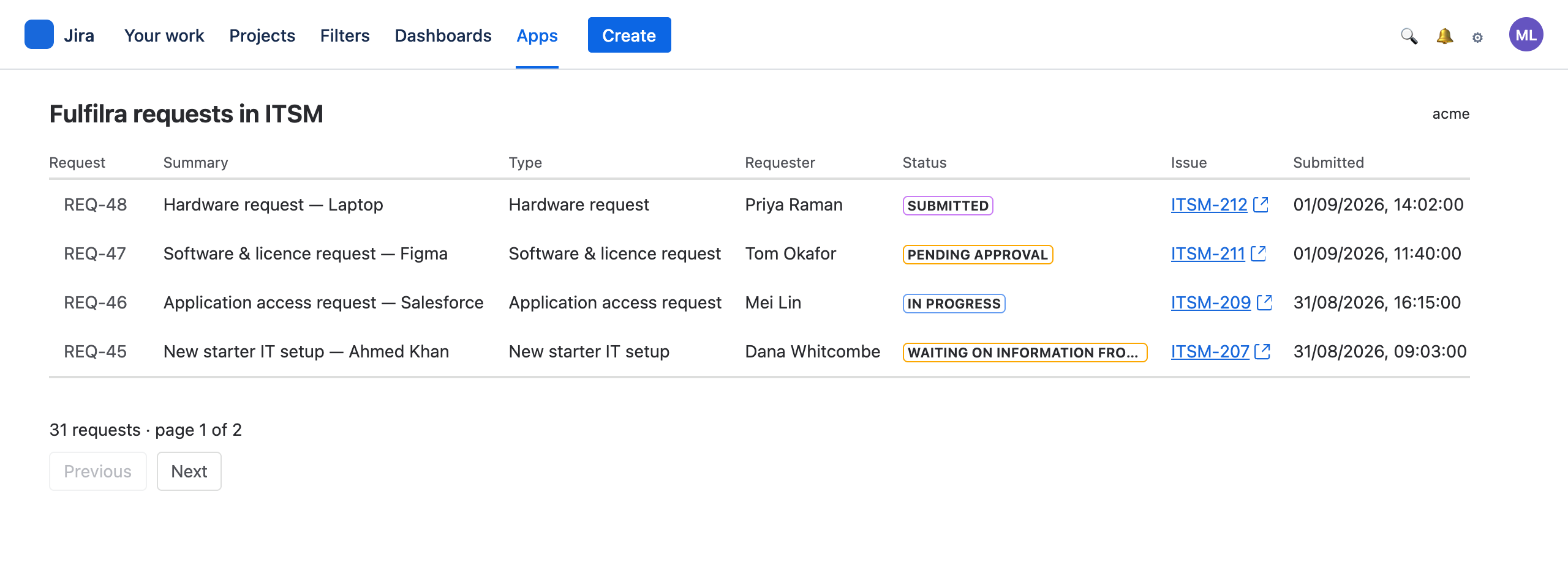
The Apps menu
Everyone with a Jira licence: raise a request, track your own, decide approvals, work the queue, read your inbox.
A project tab
Inside any Jira project, the requests whose issues live on that board — for the team that works it.
Jira settings
Setup, catalog, team, Jira connection, templates, reporting and the database. Site administrators only.
The service desk portal
A panel on a Jira Service Management portal: the request types you publish to customers, and their own requests. No Jira licence needed.

Install it, and raise a request five minutes later
No editions and nothing to unlock: every installation has every feature. Everyone on your Jira site can raise a request the moment it is installed.