
Four roles, two of them stored
Identity is your Atlassian identity. There is no user table, no invitation flow, and no second directory to keep in step with the first — and one audience, the portal customer, holds no role at all.
| Role | Who has it | How they get it | Can |
|---|---|---|---|
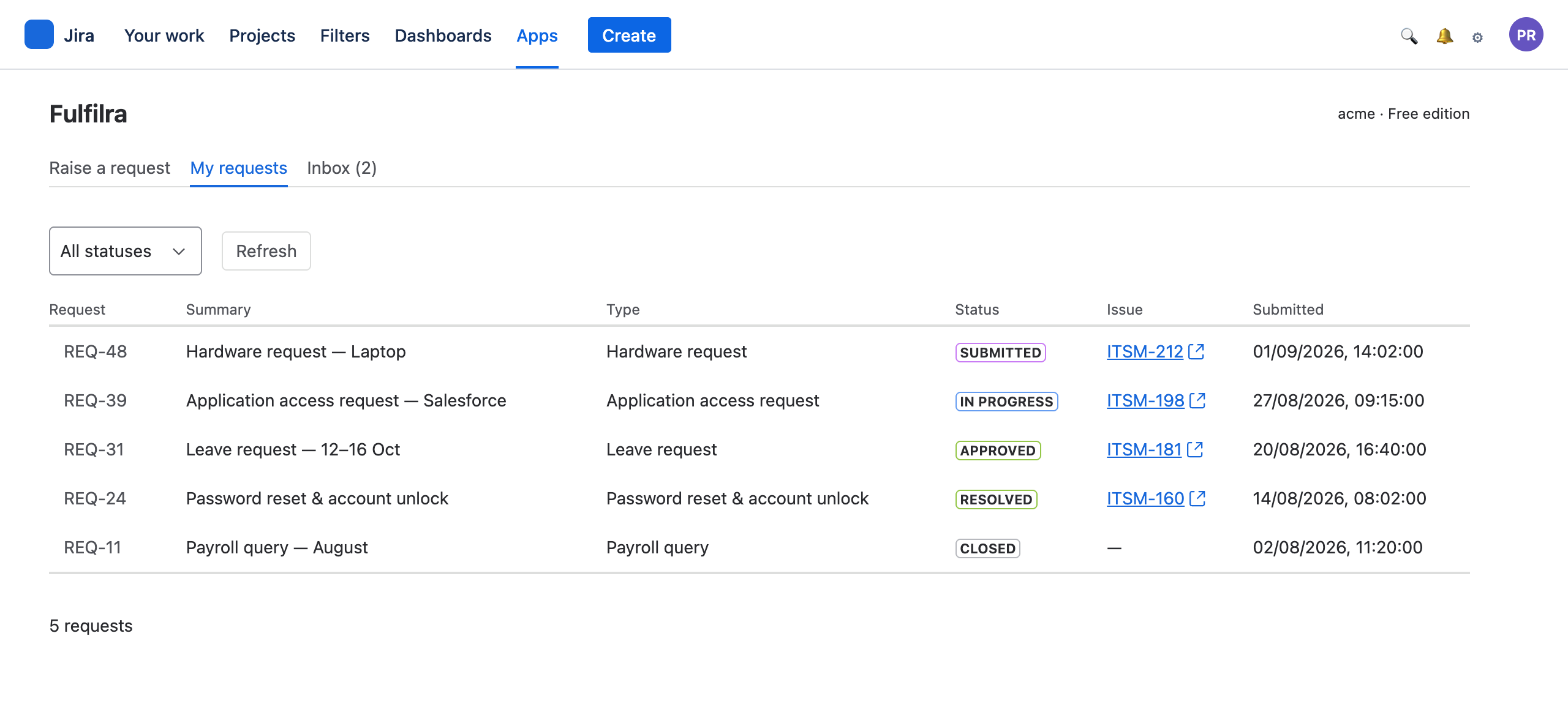
| Requester | Every licensed user of the Jira site | Automatically. No row, no invitation, no provisioning | Raise requests, track their own, comment, cancel, reopen and close them |
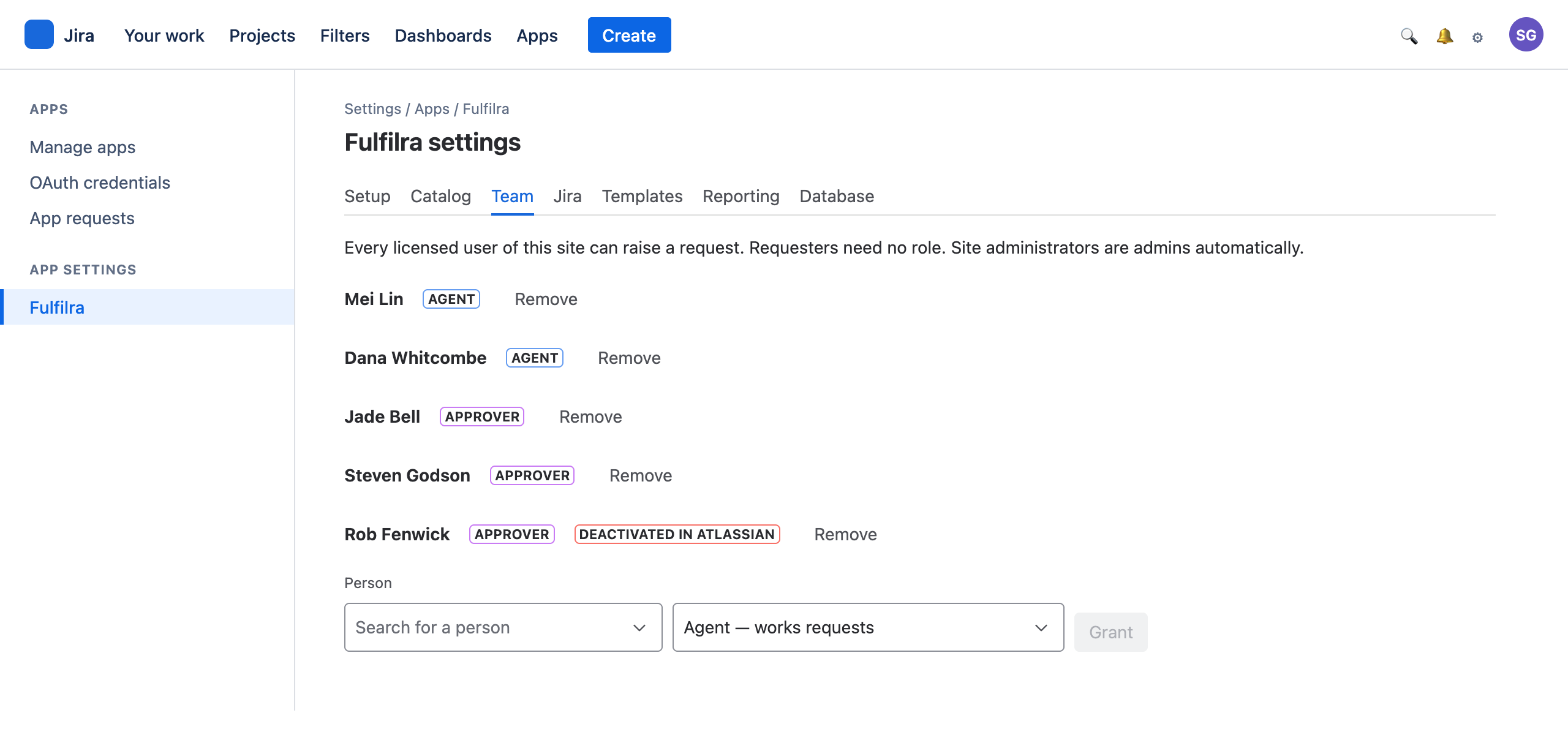
| Approver | People an administrator names | Granted from a Jira user picker | Decide the approval steps they are named on; read the queue |
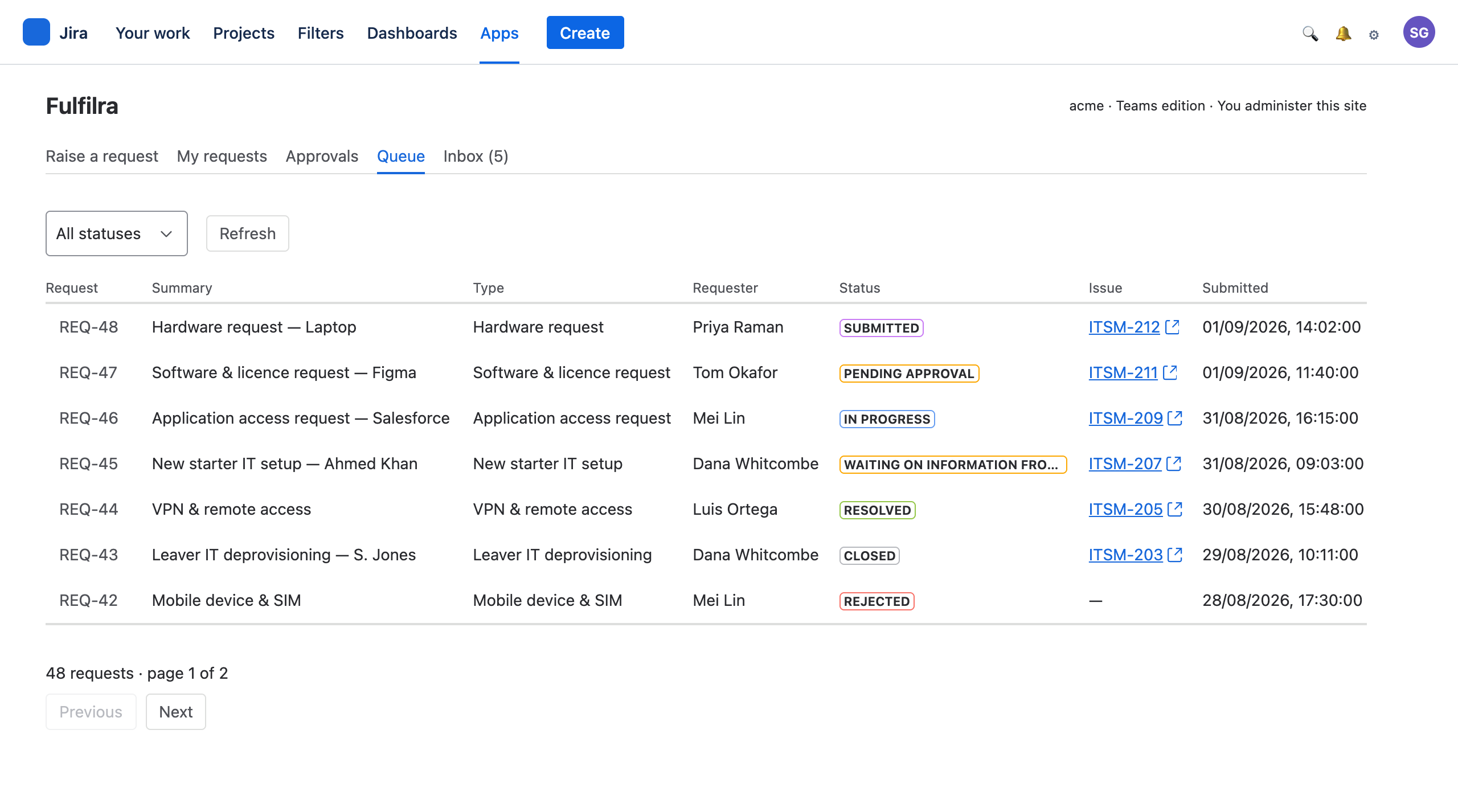
| Agent | People an administrator names | Granted from a Jira user picker | Work every request: assign, transition, comment publicly and internally, resolve |
| Customer | Portal users with no Jira licence | Automatically, on the types you publish to the portal | Browse the published types, raise one, track their own, read and reply to the conversation |
| Administrator | Whoever administers the Jira site | Derived from Jira, on every screen load. Never stored | Everything, plus the catalog, the team, the Jira connection and reporting |
Administrators are asked for, never remembered
Fulfilra asks Jira whether you administer this site every time you load a screen, and again behind every administrative action.
A stored list would eventually disagree with Jira's: somebody changes role, loses Jira admin, and quietly keeps admin of your service catalog. Asking costs a fraction of a second and cannot go stale. If Jira cannot answer, the answer is no — an administrator reloads a page; a requester never gains a surface they should not have.
An approval is a named person's decision
What a group would cost
If approvers were a Jira group, an administrator elsewhere in your organisation could rename or re-member that group and silently change who can approve your company's spending — with nothing in the service catalog recording that it had happened.
What naming people gives you
Authority that moves only when somebody deliberately moves it, and an audit trail that says which person decided what, and when. Changing an approver is a visible configuration change on the request type.
What each person actually opens
Nobody is provisioned
The moment the app is installed, everyone on your site can raise a request. No invitation emails, no seats to allocate, no accounts to deactivate when somebody leaves — Atlassian already did that.
People who leave are visible
Fulfilra reads account status from Atlassian, so an approval waiting on somebody who has been deactivated is flagged for an administrator rather than sitting silently forever.
The screen is not the guard
Jira renders the settings page only to site administrators, and Fulfilra re-checks that behind every action on it. A person who finds the address gets nothing.
Where the licence line actually falls.
Fulfilra's own screens are Jira screens, and Jira renders an app's pages to licensed users only: the Apps menu, the inbox, approvals and the queue are all licensed surfaces. People without a seat reach Fulfilra through the band it adds to your Jira Service Management portal — the types you have published, and their own requests. They browse, raise, track and reply, and get nothing else. See the customer guide for what that looks like.
Install it, and raise a request five minutes later
No editions and nothing to unlock: every installation has every feature. Everyone on your Jira site can raise a request the moment it is installed.